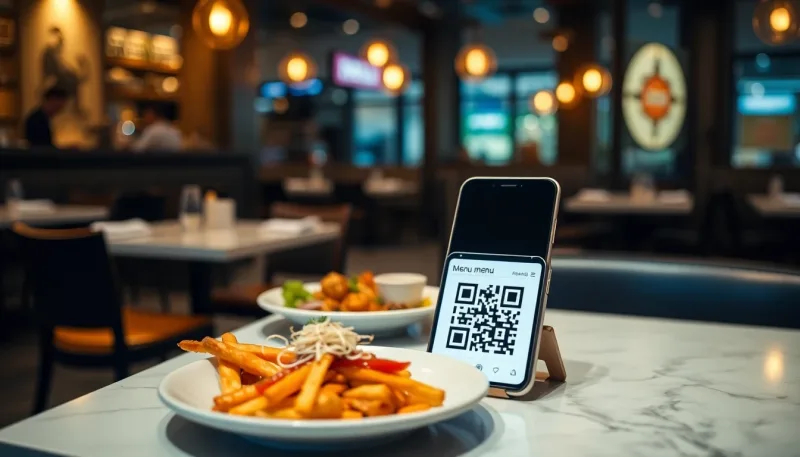
A practical, step-by-step guide to launching a QR code menu that cuts costs, enables table ordering, and that you actually own - no monthly subscription.
If you run a restaurant, café, or bar, a QR code menu is no longer a "nice to have" it is the fastest way to cut printing costs, update prices in seconds, and let guests order without waiting for a server. In this guide I will walk you through exactly how I set one up, the mistakes I see owners make, and how to do it without paying a monthly subscription for the rest of your life.
Why a QR code menu actually pays for itself
The math is simple. A printed menu costs money every time a price changes, a dish sells out, or a card gets sticky and needs replacing. A QR code menu changes once, in your dashboard, and every table sees the update instantly. But the real win is not printing. It is what a good digital menu lets you do that paper never could:
- Live availability: mark the sea bass as sold out at 8pm and it disappears from every phone in the room.
- Ordering at the table: guests scan, browse, and send the order straight to your kitchen, fewer trips, fewer mistakes.
- Upsells that work: a photo of the dessert next to the "add to order" button sells more than a waiter ever could on a busy Friday.
- Data you actually own: which items get viewed, which get ordered, what time your rushes hit.
The 4 steps to launch your QR menu
1. Build the menu once
Start with your categories, starters, mains, drinks, desserts, then add each item with a name, price, short description, and ideally a photo. Photos are not optional if you want the upsell effect. A phone screen is small; one good image does more than three lines of text.
2. Generate the QR code per table (or per venue)
You can use a single QR code for the whole venue, but I recommend one per table. When the code knows the table number, the order lands in your kitchen already tagged, no "who ordered the risotto?" confusion. Print the codes on small stands or stickers and laminate them.
3. Connect ordering and payments (optional but powerful)
If you want guests to order and pay from their phone, connect a payment method. Even if you keep taking payment at the till for now, having the option ready means you can flip it on during your next busy service and watch table turnover improve.
4. Test it like a real customer
Before you go live, scan the code with your own phone, order a dish, and check that it reaches the kitchen screen. Do it on both an iPhone and an Android if you can. Five minutes of testing saves a chaotic first night.
Hosted service vs. software you own
Here is the part most guides skip. Most QR menu products are subscriptions €30 to €80 a month, forever, and your menu lives on someone else's server. Miss a payment and your menu goes dark mid-service. That is why I built QRMenu Pro as self-hosted software you buy once and own. It runs on your own hosting, includes ordering, table management, a kitchen display, payments, coupons, loyalty, and analytics, and there is no monthly fee waiting to surprise you. You pay one time and it is yours, that is the whole idea behind everything at SevinHub.
Common mistakes to avoid
- Tiny or dense menus: a phone is not an A3 sheet. Group clearly, keep descriptions short.
- No photos on your best-margin items: that is where a photo earns you the most.
- Forgetting to update availability: nothing frustrates a guest like ordering something you ran out of at lunch.
- One giant QR for everything: per-table codes make ordering and analytics far more useful.
Getting started today
You do not need a developer and you do not need a monthly plan. Build your menu, print your table codes, and test one full order before service. If you want the self-hosted route with ordering and payments included, take a look at QRMenu Pro it is what my team and I use and support directly. Either way, the goal is the same: a menu you update in seconds, that sells for you, and that you actually own.